Showing posts with label Alex Prihodko. Show all posts

Monday, January 13, 2014

Loves Promise

 photo lovespromise.png
This tutorial was written by me and for those
who have a good working knowledge of psp.

Supplies Needed


Tube
 Artwork by ©Alex Prihodko at PFD.

Font
Admiration Pains 

Mask
Big Mask 001 by Vix


Okay, let's get started
Remember to save often!!!


Re-sizing elements is as desired, 
depending on the size you make your tag

I colorized items in my tag as I am into matching 
colors so this is up to you to do or not to doOpen new canvas 800 x 800

Paste paper 34
Apply mask
Merge group


Paste frame element 20
Click inside frame with magic wand
Expand by 23
Invert
Paste paper 31
Delete
Paste mirrored tube
Delete 
Select none
Lower opacity of tube to where you like it mine is at 55

Paste tube and move right

Use my tag if needed as guide

Now add other elements of choice

I Used 
27
35
38
72
89
153

Add name

Add drop shadow to layers

Add CR info

Crop & Save

Thursday, December 12, 2013

Relaxing Moments

 photo relaxingmoments.png
This tutorial was written by me and for those
who have a good working knowledge of psp.


Supplies Needed


Tube
 Artwork by ©Alex Prihodko at PFD.

Font
Mon Amour Script Pro

Okay, let's get started
Remember to save often!!!


Resizing elements is as desired, 
depending on the size you make your tag

Open new canvas 800 x 800

Paste frame element 21
Select area bigger than opening with selection tool
Invert
Paste paper 65
Delete
Paste mirrored tube
Delete 
Select none
Lower opacity of tube to where you like it mine is at 45

Paste tube and move right

Use my tag if needed as guide

Now add other elements of choice

I Used 
78
104
113
114
124
134


Add name

Add drop shadow to layers

Add CR info

Crop & Save

Saturday, October 19, 2013

Beyond The Darkness

 photo beyondthedarkness.png
This tutorial was written by me and for those
who have a good working knowledge of psp.


Supplies Needed


Tube
 Artwork by ©Alex Prihodko at PFD.

Font
Xiomara

Template
#163 by Bev

Filters
Eye Candy 5 Impact - Gradient Glow


Okay, let's get started
Remember to save often!!!

Open template 
Shift D
Close original and resize canvas to 800 x 800
Crop after tag is done

Close info layer and fill in white layer


Follow these steps for each layer of template

1. Select layer
2. Float
3. Invert
4. Paste paper
5. Delete and Select None
6. Apply gradient glow to original
 layer using color of choice and then noise at 50

Go HERE if you aren't familiar on my way 
of adding gradient glow using EC 5 Impact 

Use my tag as guide if needed 

raster 1 - paper 1
raster 2 - paper 40
raster 3 - paper 25
raster 4 - paper 41
raster 5 - replace with element 56
raster 6 - paper 39

Now add elements of choice

I used 
1
7
9
60
61
75
85
97
144

I colorized a few of the items to match my tag better


Paste tube

Add name

Add drop shadow to layers

Add copyright info

Close white layer

Crop & Save


Thursday, May 2, 2013

Purple Haze


 photo purplehaze.png
This tutorial was written by me and for those
who have a good working knowledge of psp.


Supplies Needed


Tube
 Artwork by ©Alex Prihodko at PFD.

Font
Xiomara


Scrap
(FTU)Emo Babe Colab by Kristin and Kaci

Template

Filters
EyeCandy5 Impact - Gradient Glow
Penta - color dots
Photo Effex - Scan Lines 

DSB Flux - Bubbles

Paper Textures
I used a few texture papers for my template layers
which you can find a wide range of HERE


My Background


Okay, let's get started
Remember to save often!!!

Open template and re-size canvas to 800 x 800
Crop after tag is done

Close info layer and fill background layer with white


Follow these steps 

1. Select layer
2. Float
3. Invert or add new layer
4. Paste paper or fill with pattern or texture
5. Hit delete if using paper
6. Apply gradient glow to original
 layer using color of choice
Go HERE if you aren't familiar on my way 
of adding gradient glow using EC 5 Impact 


We are going to start at the bottom layer (in layers pallet)
and work our way up the template following the steps above.

First merge duplicate layers together
I do this as it saves me time as I use same paper or texture
on duplicate layers but if you don't just omit this step

Paste my background layer and move to bottom above white layer
Feel free to colorize to match your tube

black rectangles - kaci paper 9
white rectangles - paper texture of choice
grey bottom rectangles - kaci paper 5 colorized to match tag and scanlines applied
grey top rectangles - gradient of two colors and apply bubbles using default setting
dark grey rectangles - gradient then color dot filter changing distance to 9 and then paste tube - duplicate tube
change top to hard light at 10 opacity and bottom to 50 opacity
black circle - gradient and apply scan lines and paste close up tube - change blend on tube to screen at 35 opacity

Add any elements from kit you wish

I used 

Kaci
bow 3, ribbon 1,star 1 and star 2
Kristin
sparkles

Use my tag as guide for placement if needed

Paste tube
I couldn't resist this tube as I loved her hair and everything about it especially as there are so many different colors to choose from

Add name
I used a pattern I made HERE
Float - Expand by 2
Fill new layer with light color
Move below name
Merge together

Add drop shadow to layers

Add copyright info

Close white layer

Crop & Save


Saturday, November 17, 2012

Holiday at Home

Photobucket
This tutorial was written by me and for those
who have a good working knowledge of psp.


Supplies Needed


Tube of choice, I used artwork by ©Alex Prihodko at PFD.
Scrap kit, I used (PTU) Holiday at Home
 by Pimp'd Designz.
Font of choice, I used Kozmetica Script.
Plugin, I used  Lokas Software - Gel. 

Let's Begin!

Open my frame and shift D
Close original

Using magic wand click inside the bottom frame and expand by 4
Invert
Paste paper 03
Delete
Paste paper 02
Delete

Change blend mode on paper 02 to overlay

Paste tube
Delete
Duplicate and on bottom layer change to luminance (L)
and on top tube layer lower opacity to 50

Select none

Paste elements of choice

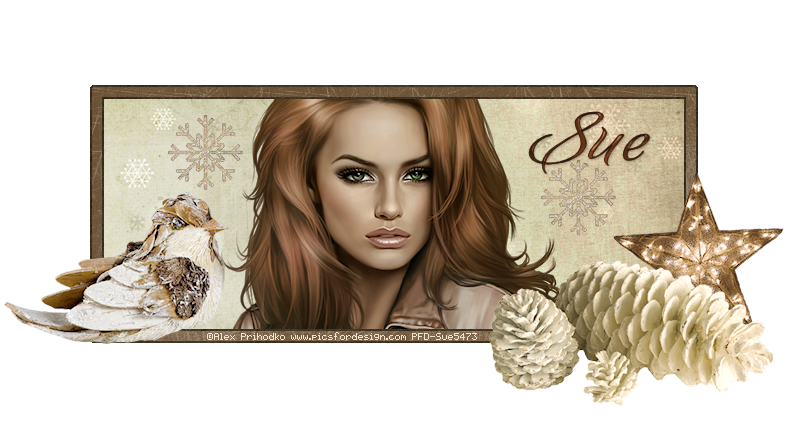
I used pine cones, bird, star, and snowflake 03

Use my tag as guide for placement or place however you like

Add name
I applied lokas - gel to mine

Add copyright info

Save