This tutorial was written by me and for those
who have a good working knowledge of psp.
Supplies Needed
Let's Begin!
Open new canvaas 600 x 250
Flood fill with color from tube.
I used #7a4192.
Paste smaller sized tube to right.
Paste larger tube and mirror and move to left.
Change Opacity to 25 and blend mode to screen.
Using your selection tool set to rectangle
select a thin rectangle line.
Add new layer and fill with color from tube.
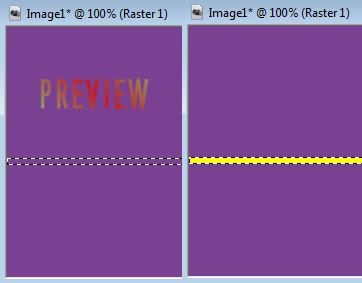
Continue to do these steps until you have at least 4 lines on different layers.
You can also do this using preset shape as well.
Once you have this done place them around however you like.
Merge them together and add noise set at 20 Gaussian Monochrome checked.
On another canvas using same colors you used for lines
make a pattern like this...

Add same noise to the pattern.
Add new layer and flood fill with pattern you made.
Pattern should be at 45 degree angle.
Select all - modify - contract by 4
Then hit delete.
Move this layer to top if it isn't already.
Add slight drop shadow.
Add name using same pattern.
Add drop shadow to other layers of choice.
For the avatar just do same steps except the lines.
Add copyright info.


